
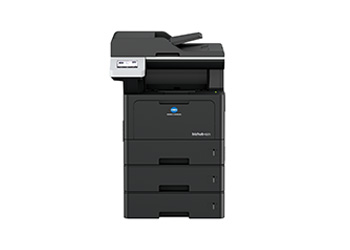
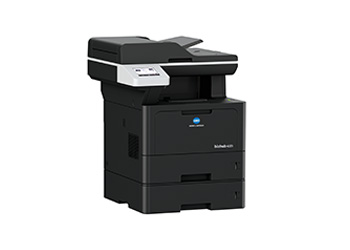
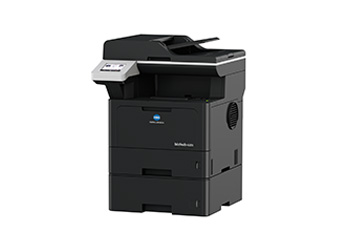
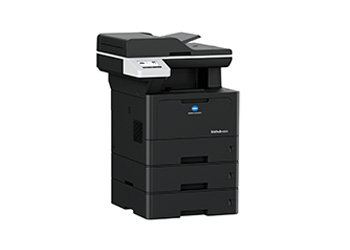
With print, copy and color scanning capabilities as well as the standard integrated duplex unit and automatic document feeder the bizhub 4221i is the ideal A4 system for SME workplace use.
Key features

Security
Flexible and advanced security features to protect valuable information

Mobile Connectivity
Print from advanced mobile & cloud technology

Advanced Solutions
Workflow Management Solutions
User Benifits
A machine that knows you. Intuitive design and simple operation.
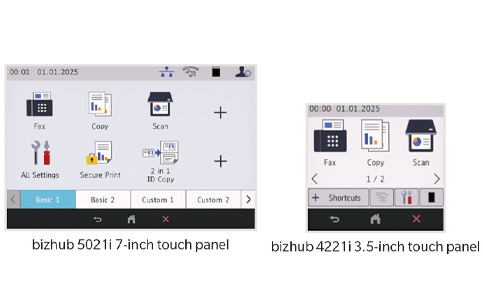
Easy to Use, Intuitive Control Panel
The large colour LCD touch panel is easy to operate even for first-time users. An intuitive interface and smartphone-like operability helps you get to the functions you need quickly, with no fuss.
Keep It Simple
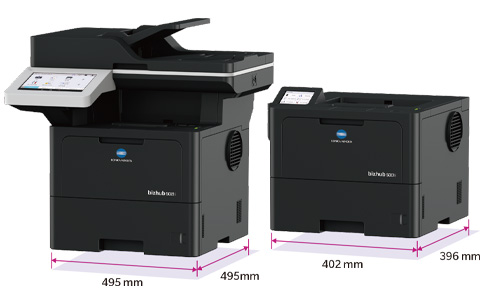
The more compact 5001i and 4201i models feature screens that clearly display settings information and enhance usability with intuitive controls. The 5001i is equipped with a color touch screen for easy, interactive operation, while the 4201i comes with a straight forward LCD screen ideal for basic display needs.
Easy Access
Frontal access to the paper tray and toner cartridge allows your bizhub to be placed anywhere, even if it’s a crowded location.
Wireless Connectivity
Fed up with cables and wires getting in the way and restricting where you can place your printer in the office? All models are quipped to operate wirelessly. Place your machine wherever is convenient, and print from anywhere inside your office via your Wi-Fi network.
A Small Footprint
Whether you are adding to your existing fleet of devices or looking for a single workhorse, having a machine small enough to place on a desktop or any convenient surface is a huge benefit.
Keep Your Documents Secure with ID Print
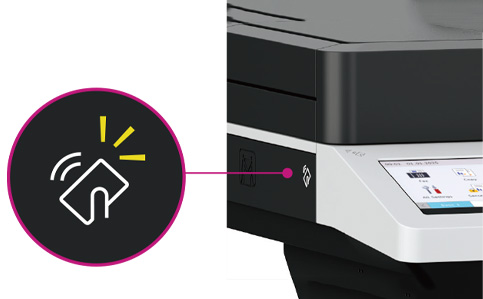
The 5021i and 5001i models are equipped with an ID card reader (NFC) on the operation panel, enabling ID Print. Documents will only print once a user has identified themselves to the machine, helping to ensure your documents don’t end up in the wrong hands
Get Started Faster
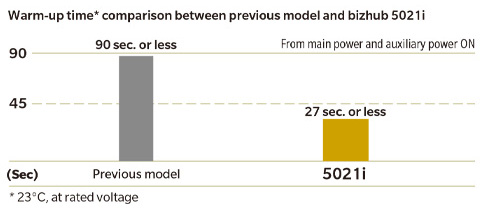
Get to work in 27 seconds or less. All models have an outstanding warm-up time, helping you to get on with what matters.
Copy & Print
A range of useful functions available at your ngertips.
Reliable High-speed Printing
Print up to 50 pages per minute with the 5021i and 5001i models and 42 pages per minute with the 4221i and 4201i models. Outstanding durability and low maintenance needs are combined with great quality and high speed, so you can keep printing all day long.
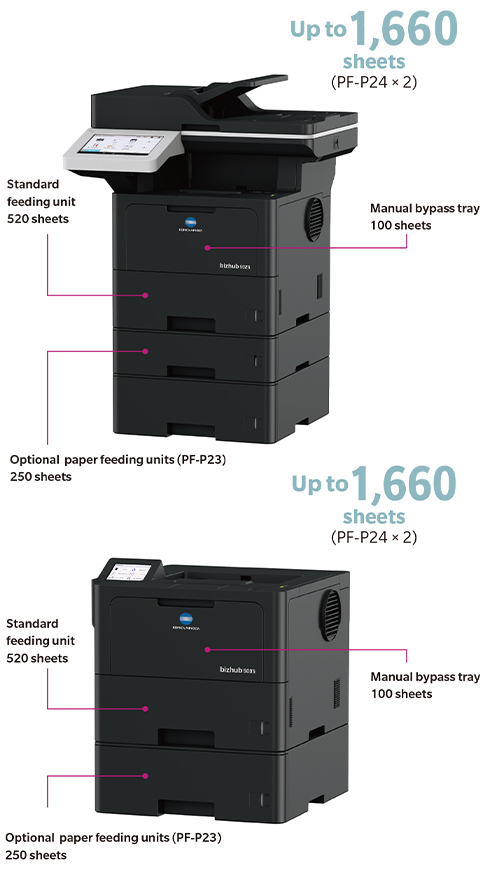
Add Paper Storage Capacity Up to 1,660 Sheets
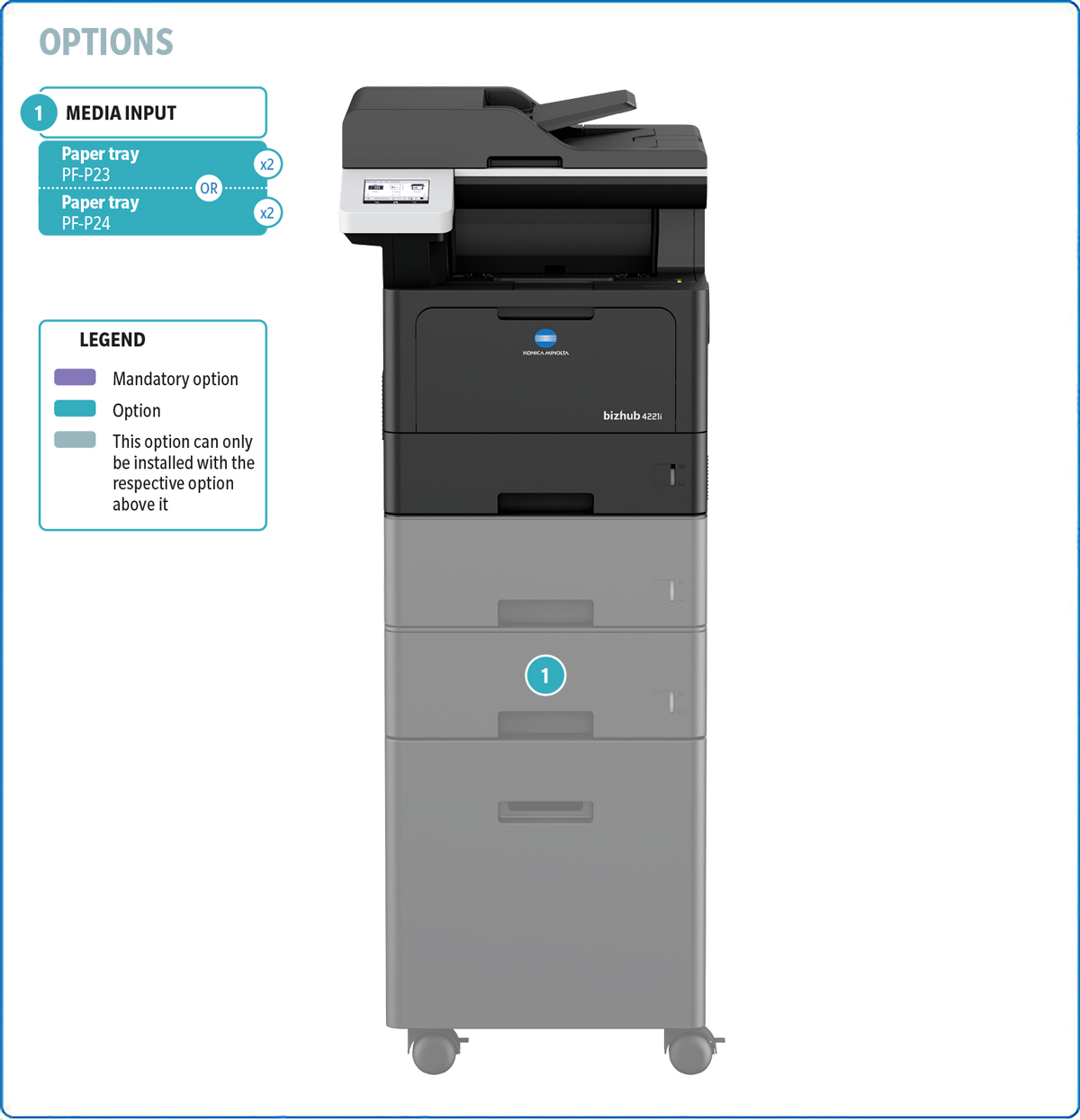
Add to the standard paper capacity with additional feeder units to build the machine that best suits your working environment. Boost your bizhub by up to 1,040 sheets with the PF-P24 and PF-P23 optional units.
The 4221i model can accommodate up to 1,390 sheets maximum.
Copy with Clarity
Copy quality has been significantly improved over previous bizhub models. Scan up to 1,200 dpi using the Document Glass to achieve detailed replication when copying and scanning.
Choose the Ideal Layout
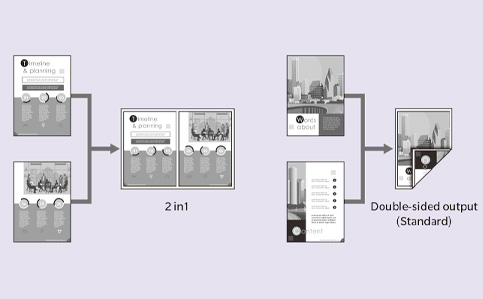
A variety of layout options and double-sided printing help optimize your printed materials and save paper. Combine multiple pages or images onto one sheet when copying and printing. Consolidate up to 4 pages into one when copying at your AIO, or up to 16 pages into one when printing.
ID Copy
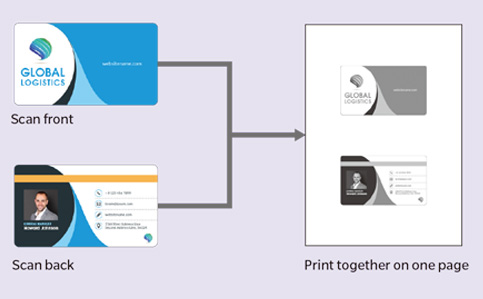
Use the ID Copy function on the 5021i and 4221i models to scan ID cards or other small or irregularly shaped documents and combine both scans cleanly onto a single sheet.
Print from USB
Data stored on a USB memory device can be printed directly from your bizhub using the USB port on the front panel.Print from a variety of formats including DOCX, PPTX, XLSX (all part of the Office Open XML format), as well as PDF, JPEG, PNG and TIFF.
Scan & Fax
High-quality and high-speed capability. Treat your documents right.
Efficient Double-Sided Scanning for Every Workflow
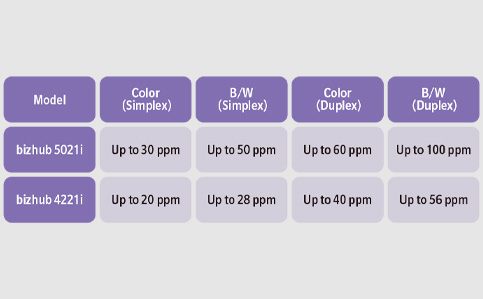
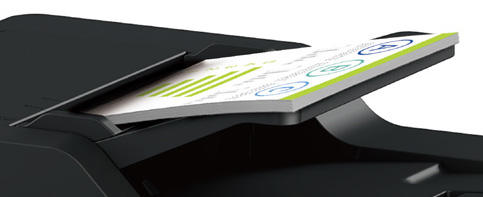
The bizhub 5021i and 4221i offer fast, double-sided scanning for both color and black-and-white documents. With a high-capacity feeder that handles up to 80 sheets at once, the bizhub 5021i is especially suited for high-volume scanning needs.
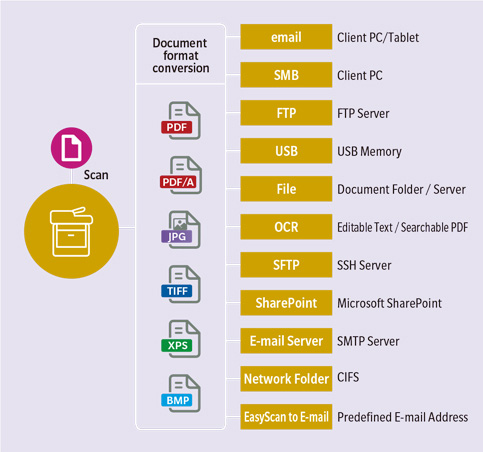
Paperless Sharing
Scan documents to a range of formats and share them in the way that’s best for you.
High Security Super G3 Fax
The 5021i and 4221i models are equipped with high-speed Super G3 faxing, ensuring you are well equipped for any situation. If your bizhub receives a new fax when out of paper, the fax is saved securely until paper is available. What’s more, with Secure Transmission, you can confirm your faxes are transmitted without error with the use of VoIP. All-round performance in a compact machine.
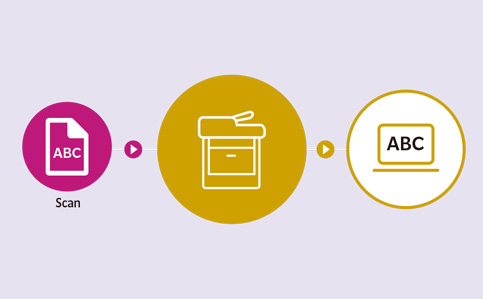
Scan to Editable and Searchable Files
iPrint & Scan enables users to scan documents directly from their bizhub device to a PC or mobile device. Files can be saved, shared, or processed with OCR software to create editable text or searchable PDFs. TWAIN and WIA support ensure compatibility with a wide range of applications.
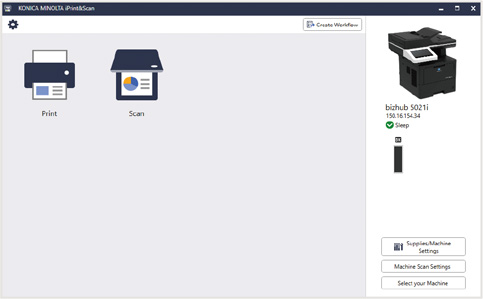
Smooth Document Handling with iPrint & Scan
Ideal for everyday office tasks, iPrint & Scan lets users easily scan and print from their bizhub device using a PC or mobile device. Instead of navigating the control panel, users can access essential functions such as scanning and saving documents directly through the software. This makes workflows faster and more intuitive.
Mobile & Cloud
Access your bizhub via your mobile device for a seamless work life.
Konica Minolta Mobile Print
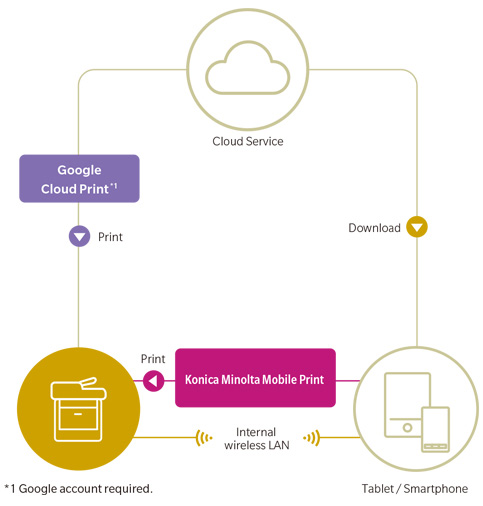
Print and scan with your smartphone or tablet. The Konica Minolta Mobile Print app is fast, secure and convenient. Use your bizhub directly from Android and Apple devices via your office Wi-Fi or by tapping your device on the NFC reader.*
*Only available for Android devices equipped with an NFC antenna. NFC reader is equipped on bizhub 5021i and 5001i models only.
For iPhone and iPad, download Konica Minolta Mobile Print from the App Store.
Multiple Mobile Print Services
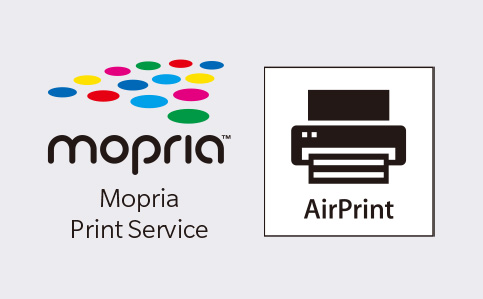
You can also connect with a variety of other mobile print services including Mopria Print Service for Android devices without a print driver, or prints wirelessly from Apple mobile devices via AirPrint. You can also print and scan from the cloud via Google Cloud Print.
Security
Keep your o ce environment secure and keep your documents private.
Secure Print
User will set a password prior to sending print. The same password has to be keyed to the control panel to release the print. This prevents confidential documents from lying around the office or being accessed by unauthorized users
Function Lock
This setting requires each user to have a password and allows the administrator to enable or disable functions for different users,preventing unauthorised users from gaining access. You can also set the maximum volume of printing each user is allowed to do via the machine, helping you stay in control of paper waste.
Environment
Look after our global environment and your office space.
Energy-saving Design
This environmentally conscious product complies to international environmental standards, including ENERGY STAR (US) for energy efficiency, the Green Purchasing Law and Eco Mark (Japan) for promoting sustainable procurement, and the RoHS Directive (EU) for restricting the use of hazardous substances.
Easily Balance Your Consumption
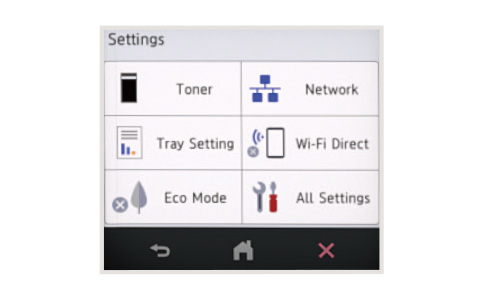
With a wealth of economy measures, you can balance quality and ecological performance as you need. Toner Economy Mode reduces the amount of toner used without sacrificing legibility, helping to save on toner usage. Deep Sleep Mode consumes less power than conventional Sleep Mode, and the printer will still reactivate as soon as new print data is received. The LCD panels on the 5021i model and 4221i model are also auto-dimming, saving energy when the machine is not in use
DESCRIPTION
| PF-P23 Paper tray | 250 sheets, A4, 60-120 g/m2 |
| PF-P24 Paper tray | 520 sheets, A4, 60-120 g/m2 |
TECHNICAL SPECIFICATIONS
| System speed A4 | Up to 42 ppm |
| Autoduplex speed A4 | Up to 20 ppm |
| 1st page out time A4 | 9.2 sec. |
| Warm-up time | Approx. 27 sec.1 |
| Imaging technology | Laser(Class 1 laser product) |
| Toner technology | Polymerized Toner |
| Panel size/resolution | 3.5” / 432 x 240 |
| System memory | 512 MB (standard/max) |
| Interface | 10/100/1,000-Base-T Ethernet; USB 2.0; Wi-Fi 802.11 b/g/n/ac |
| Network protocols | TCP/IP (IPv4 / IPv6); LPD; IPP; SNMP; HTTP; HTTP(S) |
| Automatic document feeder | Up to 50 originals; A6-A4 and Legal; 64-90 g/m2; Dual Scan ADF |
| Printable paper size | A6-A4 and Legal; customized paper sizes |
| Original glass platen size | A6-A4 & Legal |
| Printable paper weight | 60-230 g/m2 |
| Paper input capacity | 350 sheets / 1,390 sheets (standard/max) |
| Paper tray input (standard) | 1x 250; A6-A4; 60-163 g/m2 |
| Paper tray input (optional) | lx 250 sheets; A5-A4; 60-120 g/m2 (up to 2x) lx 520 sheets; AS-A4; 60-120 g/m 2 (up to 2x) |
| Large tray input (optional) | 1x 250 sheets; A5-A4; 60-120 g/m2 (up to
2x) 1x 520 sheets; A5-A4; 60-120 g/m2 (up to 2x) |
| Manual bypass | 100 sheets; A6-A4; custom sizes; 60-230 g/m2 |
| Automatic duplexing | A4; 60-105 g/m2 |
| Output capacity | Up to 150 sheets |
| Duty cycle (monthly) | Rec. 5,000 pages; Max.2 100,000 pages2 |
| Toner lifetime | Black up to 11,000 pages3 |
| Imaging unit lifetime | Black up to 75,000 pages (imaging unit)3 |
| Power consumption | 220-240 V / 50/60 Hz; Less than 640 W |
| System dimension (W x D x H) | 417 x 461 x 448 mm (without options) |
| System weight | Approx. 16.4 kg (without options) |
| Print resolution | 1200 x 1200 dpi |
| Page description language | PCL 6 (XL3.0); PostScript 3; XPS; PDF 1.7 |
| Operating systems | Windows 10/11 (32/64); Windows Server 2012/2016/2019/2022/2025; macOS 11.x - 15.x; Linux; iOS; Android |
| Printer fonts | 85 PCL Latin; 66 PostScript 3 Emulation Latin; 1D & 2D barcodes, QR Codes |
| Mobile printing | Mopria (Android); Konica Minolta Print Service
(Android); Konica Minolta Mobile Print (iOS/Android); WiFi Direct; AirPrint; Google ChromeOS; Universal Print |
| PF-P24 Paper tray | 520 sheets, A4, 60-120 g/m2 |
| Scan speed | Up to 28/20 ipm in simplex (mono/colour) Up to 56/40 ipm in duplex (mono/colour) |
| Scan resolution | Up to 1,200 x 1,200 dpi |
| Scan modes | Scan-to-eMail (Scan-to-Me); Scan-to-FTP; Scan-to-USB;
Scan-to-File; TWAIN scan; WIA scan Scan-to-SFTP, Scan-to-DPWS |
| File formats | JPEG; TIFF; PDF; XPS; PDF/A; BMP |
| Scan destinations | LDAP support |
| Copy resolution | 600 x 600 dpi |
| Gradation | 256 gradations |
| Multicopy | 1-999 |
| Original format | Max. A4 |
| Magnification | 25-400% in 1.0% steps; Auto-zooming |
| Fax standard | Super G3 |
| Fax transmission | Analogue; i-Fax |
| Fax resolution | Up to 600 x 600 dpi |
| Fax compression | MH; MR; MMR; JBIG |
| Fax modem | Up to 33.6 Kbps |
| Fax destinations | 299 destinations + 20 groups |
| Security | SSL2; SSL3 and TLS1.0/1.1/1.2 network communication;
IPsec support; IEEE 802.1x support; Secure print; Kerberos; SNMPv3; LDAP authentication |
| Accounting | Active Directory support (user name + password + e-mail
+ smb folder); User Function Access Definition optional: ID card authentication (ID card reader) |
| Software | Driver Packaging Utility Download Manager |
1 Warm-up time may vary depending on the operating environment and configuration
2 If the maximum volume is reached within a period of one year, then a maintenance cycle must be performed





 Product
Overview
Product
Overview Specifications
 System
Options
System
Options